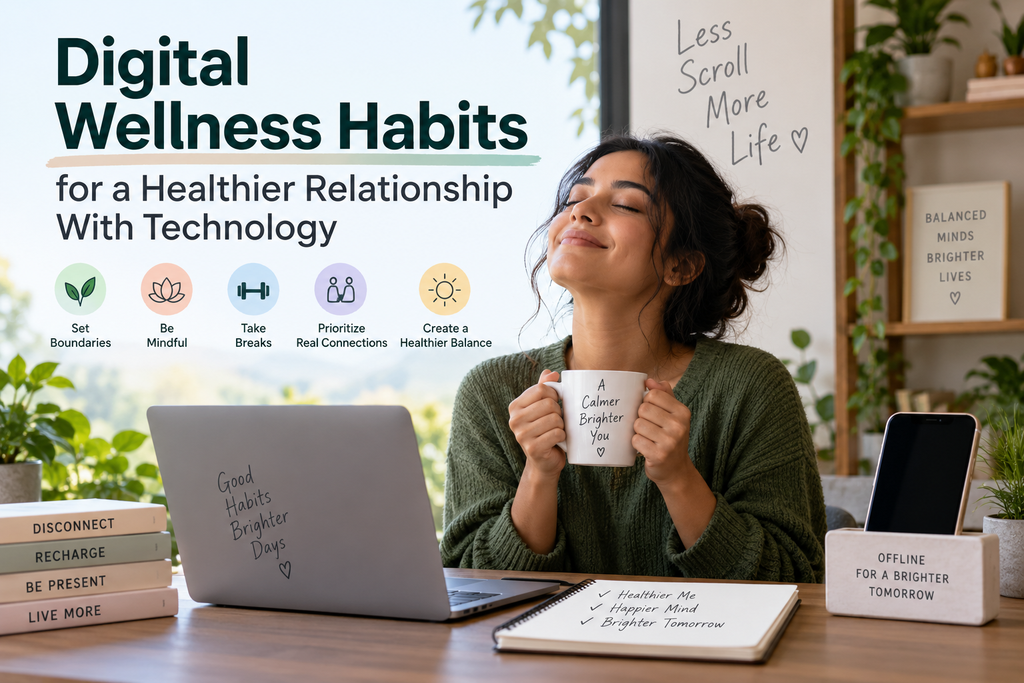
Technology does not have to disappear from your life for your digital habits to become healthier. Good digital wellness habits are mostly about making your devices less interruptive, more comfortable to use, and better aligned with what you actually want to do.
That can mean turning off unnecessary notifications, taking breaks during long periods of screen work, creating boundaries around work messages, being more selective about social media, protecting bedtime from unnecessary scrolling, and checking your phone with a purpose instead of automatically.
The goal is not the lowest possible screen-time number. It is a healthier relationship with technology.
What Is Digital Wellness?
Digital wellness means using phones, computers, apps, social media, messaging platforms and other digital tools in ways that support rather than unnecessarily interfere with your attention, sleep, physical comfort, relationships, work, rest and personal priorities.
That definition leaves plenty of room for technology.
A screen can help you talk with family, earn a living, study, navigate, create art, access healthcare, use accessibility tools or simply enjoy a movie. High screen time alone therefore does not tell you whether your technology use is healthy.
A more useful question is:
Is this technology helping me do what I want to do, or repeatedly getting in the way?
Digital Wellness Habits for Everyday Technology Use
Turn Off Notifications That Do Not Need Your Attention
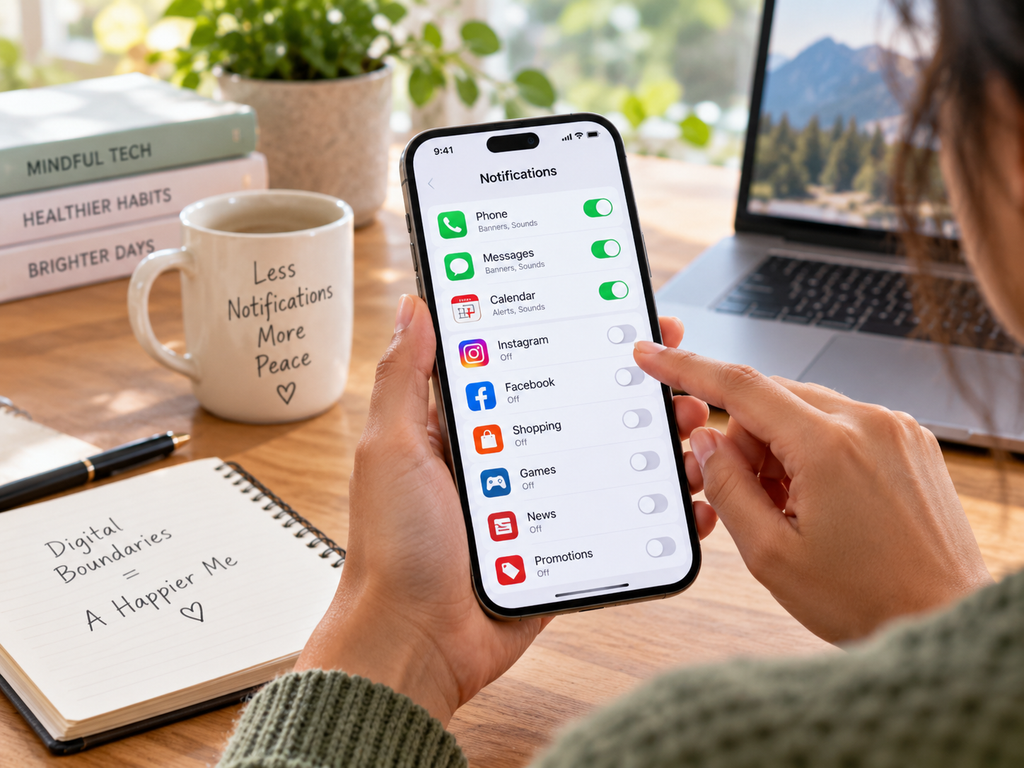
Every app does not deserve permission to interrupt you.
Research has found that simply receiving a phone notification can interfere with performance on an attention-demanding task, even when the person does not pick up the phone.
That does not mean disabling everything.
Calls from important people, calendar reminders, security warnings, travel updates, medical alerts and accessibility notifications may be genuinely useful.
Promotional messages, shopping alerts, suggested posts, engagement prompts and alerts about every like or reaction are easier candidates for removal.
Start small. Open your notification settings and disable one category that repeatedly interrupts you without providing much value.
Focus modes and scheduled notification summaries can also help when your operating system supports them.
Stop Treating Every Message as Urgent
Digital communication has blurred the difference between being available and being immediately responsive.
A message can arrive now without requiring an answer now.
Where your responsibilities allow it, choose particular times to handle nonurgent email or messaging instead of reacting every time something arrives. Status indicators, calendar blocks or simple communication about response times can help colleagues know when you are available.
Some jobs genuinely require fast responses. Healthcare workers, support staff, managers on call and people coordinating time-sensitive operations may have less flexibility.
Digital wellness should adapt to those realities rather than pretending everyone controls their schedule.
Do One Digital Task at a Time When You Can
You may have a document open while checking email, replying to a chat message, monitoring a second screen and occasionally looking at social media.
It can feel like multitasking, but demanding activities often require your attention to switch from one task to another.
Experimental research on task switching shows measurable cognitive costs when people move among tasks, although the size and nature of those costs depend on what they are doing.
You do not need to turn this into a strict productivity system.
When concentration matters, try closing tabs you are not using, silencing optional alerts and finishing a focused block before opening email or messaging.
One screen or application devoted to the current task can sometimes be enough.
Know Why You’re Opening Your Phone
A useful healthy-phone habit takes only a second.
Before unlocking your phone, ask:
What am I here to do?
Maybe you need directions. Maybe you are replying to someone, paying a bill, checking an appointment or setting a timer.
Complete that task first.
Then make a conscious decision about whether you want to stay on the phone.
This does not mean every spontaneous phone check represents addiction. Habits can simply become automatic. Adding a small moment of intention can make those patterns easier to notice.
Choose a Few Device-Light Moments
You do not need a phone-free life.
Instead, select a few situations where having less digital input feels useful.
You might leave your phone aside during one meal, a short walk, a conversation, exercise, reading or the first few minutes after arriving home.
A device-light bedtime period can also work if late scrolling keeps stretching past the time you intended to sleep.
These moments are experiments, not moral rules. If a device is useful for safety, accessibility, childcare, work or communication, keep it available.
Social media is neither automatically good nor automatically bad for everyone.
Studies of interventions that reduce or remove social-media use produce mixed results, and outcomes appear to vary across people and contexts. A systematic review of adult interventions found some studies with benefits, others with mixed results and others with no effect.
That makes the quality and context of use important.
Look through the accounts, channels and communities you regularly consume.
Keep the ones that are genuinely informative, enjoyable, useful or socially meaningful.
Mute or unfollow sources that repeatedly give you an experience you do not want. Reduce promotional notifications. Use “not interested” controls when recommendation feeds keep serving irrelevant content. Disable autoplay where practical if it routinely turns one video into many.
Sometimes direct communication with someone you care about may feel more meaningful than passively watching their updates. Other times, passive browsing is simply entertainment—and that can be fine too.
The goal is choice.
Take Breaks From Continuous Screen Work

Continuous screen work can contribute to visual discomfort, dry-eye symptoms and musculoskeletal discomfort.
Professional eye-care guidance commonly recommends regular visual breaks, including the familiar 20-20-20 approach: roughly every 20 minutes, look at something about 20 feet away for about 20 seconds. It should be understood as an eye-break strategy rather than a guaranteed treatment for every visual problem.
Breaks can also include changing position, standing up, walking briefly or alternating a digital task with something that does not require close screen focus.
Make Screens Easier on Your Eyes
Digital-eye comfort is not only about total screen time.
Look at your environment.
Can you read the text comfortably without leaning toward the monitor?
Is glare reflecting from a window or lamp?
Are you blinking normally?
Could you increase text size rather than moving closer?
Is the screen at a comfortable distance?
OSHA suggests placing a monitor at least about 20 inches away and adjusting distance and text size so the screen can be read comfortably while the head and torso remain supported.
If persistent eye pain, headaches, double vision, major dryness or changes in vision continue despite ordinary adjustments, get advice from a qualified eye-care professional.
Make Your Digital Setup More Comfortable
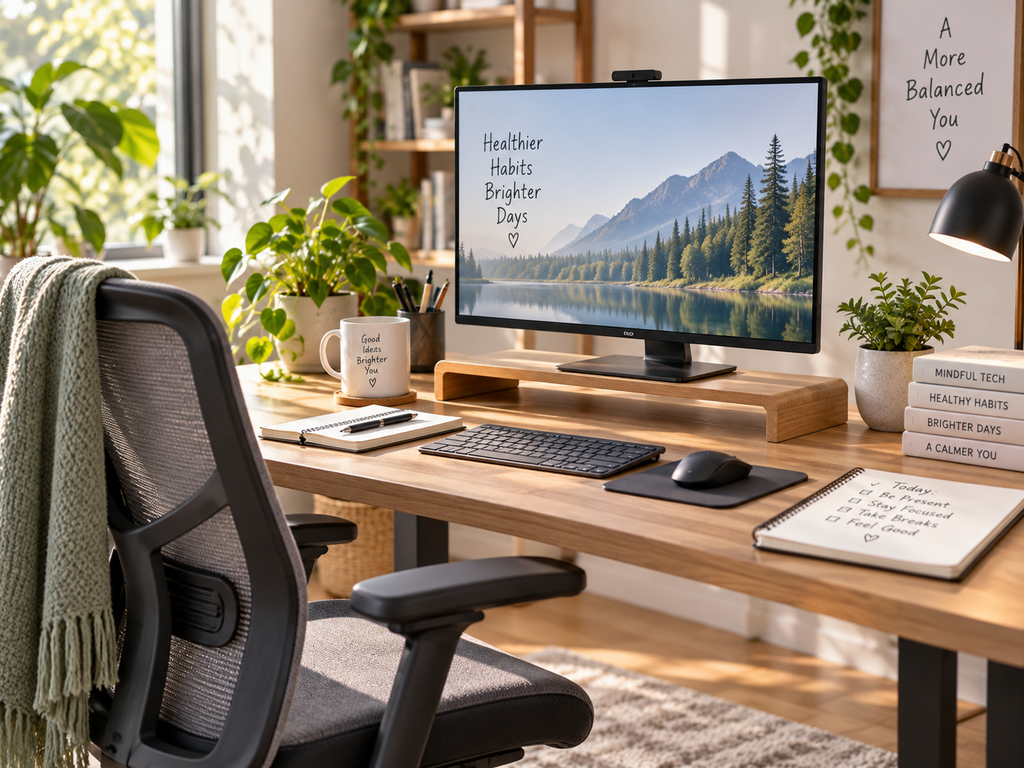
Digital wellness includes your body, not only your attention.
There is no single perfect computer posture that everyone needs to hold all day. OSHA specifically notes that no one workstation arrangement fits every person.
Aim instead for a setup that minimizes awkward positions and lets you change position regularly.
Keep the monitor roughly in front of you rather than constantly turning your neck.
Adjust its height so you do not repeatedly tilt your head backward or lean forward to see it.
Place the keyboard and mouse where your shoulders can remain relaxed and your wrists do not need to stay sharply bent.
Support your feet and back where possible.
OSHA’s workstation guidance recommends positioning the keyboard directly in front of the user, keeping shoulders relaxed and arranging keyboard height to support relatively neutral wrist positions.
Movement matters too. Even a comfortable position can become uncomfortable if you remain there continuously.
Protect Your Sleep From Unnecessary Digital Spillover
Technology can interfere with bedtime in several ways.
You may continue working later than intended.
Notifications may wake or alert you.
A video, game, conversation or news story may keep you engaged.
Scrolling can simply displace the time you planned to spend sleeping.
Light exposure may also contribute, but reducing the issue to “blue light destroys sleep” oversimplifies what happens.
Large observational research in adults has found an association between screen use before bed and shorter sleep duration and poorer self-reported sleep quality. Because this type of research does not prove that screens alone caused the difference, the findings should not be treated as a universal rule.
Other recent adult research has found a more complex pattern, reinforcing that frequency of bedtime screen use does not affect every dimension of sleep in the same way for every person.
A practical approach is to identify the part of nighttime technology that actually affects you.
If notifications are the problem, silence nonessential ones.
If work keeps expanding, establish a stopping cue.
If short-form video repeatedly pushes bedtime later, move it earlier or choose something with a natural ending.
If the phone causes no meaningful sleep problem, you do not need to create a dramatic rule simply because someone online said everyone must stop using screens at a particular hour.
Give Work Technology a Stopping Point
Remote and hybrid work made useful digital tools available almost everywhere.
It also made it easier for work to follow people into meals, evenings and bedrooms.
Where your role allows it, develop a visible end-of-work routine.
Close work tabs.
Exit nonessential collaboration apps.
Turn off nonurgent work alerts.
Use separate browser profiles or work and personal accounts if the separation helps.
Communicate your availability instead of relying on colleagues to guess.
The boundary does not have to be “never read email after 5 p.m.”
A freelancer working with international clients may need a different system from an office employee with predictable hours. A caregiver may split work into several periods. Someone on call may need critical alerts throughout the evening.
The useful boundary is one that fits your responsibilities while still creating some genuine off-work time when possible.
Curate What Gets Your Attention
Digital wellness is partly about what you consume, not merely how many minutes you spend consuming it.
Audit your feeds, newsletters, subscriptions and apps occasionally.
Unfollow accounts you no longer want.
Mute sources that you need access to but do not want appearing constantly.
Unsubscribe from newsletters you never read.
Remove apps that no longer serve a purpose.
Block harassment or abusive accounts.
Prioritize reliable sources when accuracy matters.
This does not mean surrounding yourself only with cheerful content.
Useful information can be difficult, serious, challenging or emotionally complex. The question is whether you are choosing it because it matters to you or repeatedly receiving it because an algorithm keeps pushing it into your attention.
Keep Some Activities That Do Not Need a Screen

Offline activities can provide variety in a day dominated by digital work.
That might mean walking, gardening, cooking, working on a household project, playing music, reading print, exercising, crafting, playing a sport or talking with someone face to face.
Research has associated hobby participation with several measures of wellbeing, although those findings should not be interpreted as proof that an offline hobby treats depression or another mental-health condition.
Offline activities are not morally better than online activities.
They simply give your attention and body a different kind of experience.
Review Your Screen-Time Data Without Obsessing Over It
Built-in screen-time tools can be useful, but the total number at the top of the dashboard is not a digital-wellness score.
Instead, ask better questions.
Which apps take most of my time?
Was that time useful?
Which use was intentional?
Which category repeatedly surprises me?
Does any app routinely delay sleep or something else I care about?
High screen time can come from online work, studying, digital creativity, communication, accessibility tools or healthcare.
Low screen time can still include an hour of online activity that leaves you feeling worse.
Context matters more than chasing the smallest possible total.
Optional Digital Wellness Experiments
Some interventions are worth testing without promoting them as essentials.
Grayscale
Grayscale removes color from the display.
One study involving college students reported lower daily smartphone use after switching to grayscale, and a smaller 2026 crossover study in medical students also found a reduction in daily screen time. However, these results should not be generalized into a promise that grayscale will work for everyone.
Try it if colorful apps seem unusually difficult for you to leave.
Turn it off if color is useful for accessibility, work, navigation, photography or other tasks.
App timers
A timer can be useful when you frequently spend longer in an app than intended.
Treat the timer as a pause point rather than a punishment.
When it appears, ask whether you deliberately want to continue.
Temporary digital breaks
A short break from a particular platform may help you notice habits or create space for something else.
But “digital detox” is not a standardized medical treatment.
Recent research on social-media abstinence remains mixed. One 2025 systematic review and meta-analysis found no significant effects on positive affect, negative affect or life satisfaction.
That is a good reason to treat temporary breaks as personal experiments rather than brain resets or cures.
How Digital Wellness Looks Different for Different People
Healthy technology use will not look identical across lifestyles.
Remote workers may benefit most from ending work-app notifications and creating physical separation between work and rest.
Office workers may need more screen breaks and better workstation adjustments.
Students often need technology for research, assignments and communication, so reducing every screen-time category would make little sense.
Parents and caregivers may need phones readily accessible while still choosing a few device-light family moments.
Freelancers may need flexible communication boundaries across time zones.
Content creators and social-media professionals cannot reasonably treat social-media use itself as unhealthy when it is part of their work.
Gamers can focus on whether gaming is displacing sleep, movement, responsibilities or relationships rather than assuming the hobby is inherently problematic.
People who rely on accessibility technology may require devices for screen readers, communication, hearing assistance, navigation, cognitive support, medical management or personal safety.
Accessibility and safety should take priority over generic screen-reduction advice.
When Digital Habits Need More Than a Lifestyle Adjustment
Digital-wellness habits are not treatment for anxiety, depression, ADHD, addiction or other mental-health conditions.
Screen-time numbers alone are also not enough to diagnose problematic technology use.
Consider qualified professional support when technology use is associated with severe distress, significant sleep disruption, inability to meet important responsibilities, compulsive behavior that feels difficult to control, cyberbullying, harassment or substantial interference with daily functioning.
The Bottom Line
Good digital wellness habits do not require disappearing from the internet.
Start by reducing one unnecessary interruption.
Make one frequent phone check more intentional.
Take breaks during continuous screen work.
Adjust your setup until it feels comfortable.
Give work technology an ending where circumstances permit.
Pay attention to the quality of what you consume.
And periodically ask whether your digital tools are helping you do what matters to you.
Technology can stay.
The goal is to make it work better for your life.
Read more: Wellness Habits for Busy People That Fit Real Life